
Online Teaching Studio · 15 November 2026
Online Teaching Studio Under ₹30,000: Essential Gear Guide
Planning an online teaching setup on a tight budget? Learn which gear to buy first, what to skip, and how to get clear audio and video under ₹30,000.
 AI-generated illustration
Quick answer
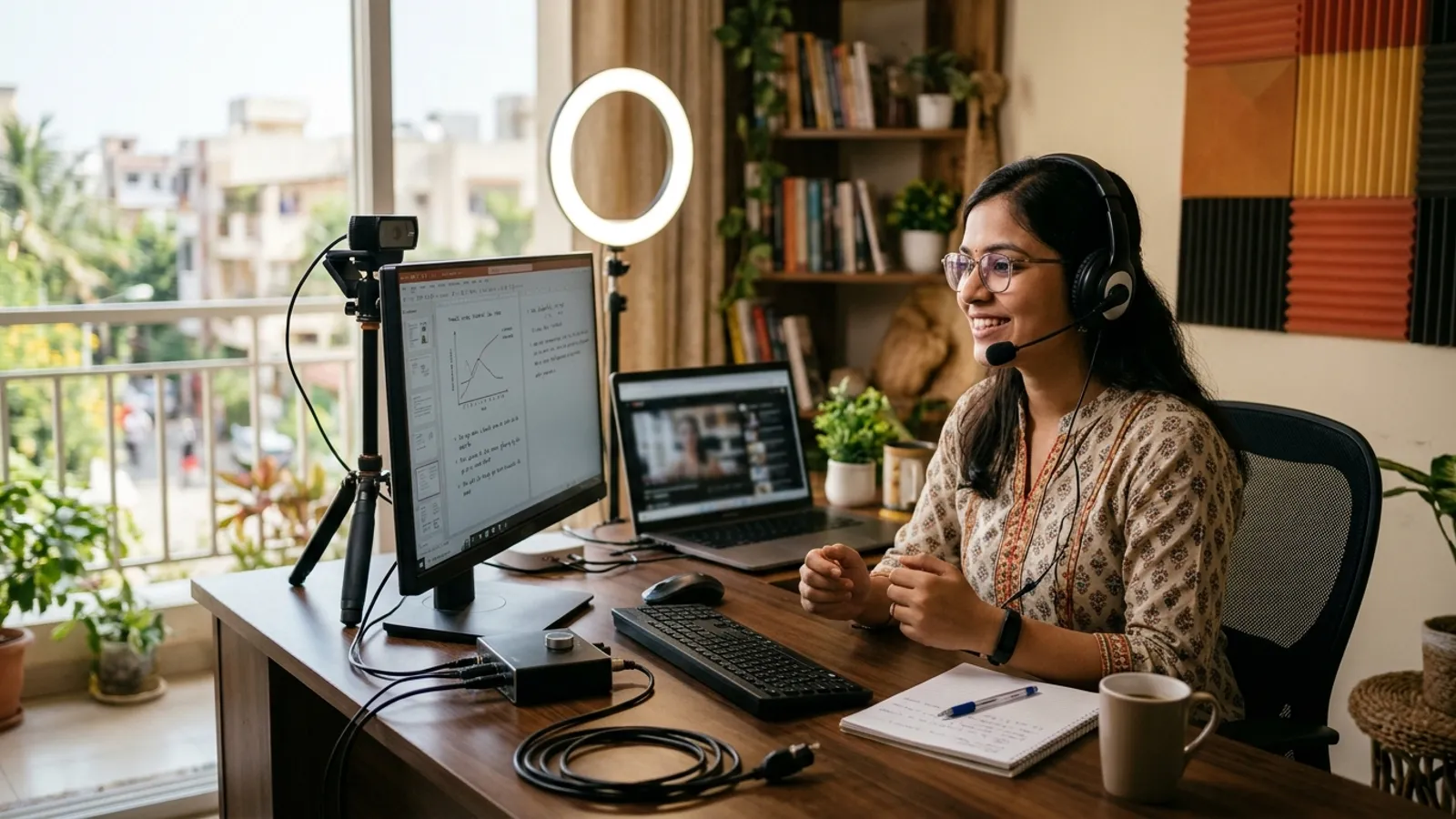
A budget online teaching studio under ₹30,000 can include a decent microphone, a pen tablet, a 1080p camera or webcam, soft lighting, a simple backdrop and a quiet corner. Spend first on audio and lighting, because students forgive average video much sooner than muffled sound. Prices change often, so check current market rates before you finalise your list.
What does an online teaching studio actually need?
A teaching studio has one job: to help students see and hear you clearly while you explain on a board or screen. You do not need a full production room to do this.
The core pieces are:
- Audio: a microphone and headphones
- Writing tool: a pen tablet or a tablet with a stylus
- Video: a webcam or a good phone camera
- Light: one or two soft lights
- Background: a clean wall or plain backdrop
- Stability: a stand or tripod, a chair and a steady desk
- Power and internet: a reliable connection and, if needed, backup power
Everything else, such as chroma green, multiple cameras or acoustic panels, can wait until your classes grow.
Which gear should you buy first on a ₹30,000 budget?
Buy in this order. If money runs out, stop at the point where your budget ends and upgrade later.
- Microphone: Students will stay for average video, but not for noisy or echoing audio.
- Lighting: A soft light in front of you improves even a basic camera.
- Pen tablet: It makes handwritten explanation smooth, which matters for maths, science and accounts.
- Camera or webcam: A 1080p webcam is usually enough for classroom-style teaching.
- Backdrop and stands: These make the setup look tidy and consistent.
This is a priority order, not a fixed price split. Actual costs depend on brands, availability and what you already own.
How do you choose the right microphone?
Your room matters as much as the mic. A mic placed close to your mouth picks up less room echo, which helps in typical Indian homes with bare walls and hard floors.
USB microphone vs lavalier mic
| Option | Good for | Things to watch |
|---|---|---|
| USB microphone | Teachers who sit at a desk and want simple plug-and-play use | Needs a stand and correct distance from your mouth |
| Wired lavalier (clip-on) mic | Teachers who move around or stand while teaching | Cable length, clothing rustle and device compatibility |
| Headset mic | Very basic, quick setups | Sound quality can vary, and it may look less professional on camera |
If you sit and teach from a desk, a USB microphone on a small stand is usually the simplest choice. If you stand at a whiteboard, a lavalier mic can work better. Check that your laptop or phone supports the connector you buy.
A pair of closed-back headphones can also help you monitor your own audio and avoid echo from speakers.
Is a pen tablet worth it for online teaching?
For subjects where you write, draw or solve step by step, yes. A pen tablet lets you write naturally on your screen while students watch your explanation live or in a recording.
Pen tablet or writing on paper under a camera?
- Pen tablet: Cleaner writing, easy colour changes, simple screen sharing, and neat recordings.
- Paper under a camera: Cheaper to start, but it needs a stable overhead mount, good lighting and care to avoid glare.
If your budget is tight, a pen tablet is usually a better long-term investment than a fancy camera. Make sure the tablet works with your computer's operating system and your teaching software before buying.
What kind of camera is enough?
For most teachers, a good 1080p webcam is enough. Some educators prefer using a recent smartphone as a camera, which can work well if you have a stable mount and a way to connect it reliably.
Tips for better video without spending more:
- Place the camera at eye level, not below your chin.
- Keep your face towards the main light source.
- Avoid sitting with a bright window behind you.
- Use a fixed camera position so students get a consistent view.
- Clean the lens before each session.
How should you light a small teaching space?
Good lighting is one of the cheapest upgrades. Aim for soft, even light on your face.
A simple lighting setup
- Key light: A soft LED panel or ring light placed slightly above eye level and in front of you.
- Room light: Keep your regular room light on to fill shadows.
- Window light: Use it from the side or front if possible, but avoid direct harsh sunlight.
Avoid placing a strong light directly behind you, as it turns you into a silhouette. If you wear glasses, move the light slightly to the side to reduce reflections.
How can you improve room sound without expensive panels?
You can reduce echo with things you may already have:
- Teach in a smaller room rather than a large hall.
- Add curtains, a thick carpet or rug and soft furnishings.
- Place bookshelves or cushions near reflective walls.
- Switch off fans or ACs during recording if the noise is picked up.
- Close windows facing busy roads.
If echo is still a problem later, a studio planner can suggest acoustic treatment suited to your room.
What about the background and chroma green?
A plain, tidy wall is the best start. A simple backdrop stand with a neutral cloth can also work. Chroma green is optional and only useful if you want to place slides, a virtual classroom or a branded background behind you. It also needs even lighting to look clean, so skip it initially if the budget is tight.
What can you skip for now?
- Multi-camera switching
- Large acoustic panel sets
- Complex audio mixers
- Fancy RGB lights
- A dedicated teaching room, if a quiet corner works
You can add these as your batch size or channel grows.
A quick budget-friendly setup checklist
- Quiet corner with a steady table and chair
- USB or lavalier microphone
- Closed-back headphones
- Pen tablet
- 1080p webcam or a phone with a mount
- One soft key light
- Plain wall or simple backdrop
- Reliable internet, ideally wired or near the router
- Power backup for your router if outages are common
FAQ
Can I really build an online teaching studio under ₹30,000?
For a single-teacher setup, it is often possible if you already own a laptop and choose basic, reliable gear. Prices vary by brand and time, so compare current rates before buying and decide your priorities in advance.
Should I buy a better camera or a better microphone first?
Buy the microphone first. Clear sound keeps students attentive, while a basic 1080p camera with good lighting is usually enough for teaching.
Do I need a separate room for teaching online?
Not always. A quiet corner with some soft furnishings can work well. If you teach regularly to large batches or record courses, a dedicated space can give you better sound control and a more consistent look.
If you want help planning an online teaching studio that suits your room, subject and budget, request a studio quote from Smart Infovision. Share your space details and teaching needs, and our team can suggest a practical setup.
 Related setupExplore Online Teaching Studios )}
Quote
Request your studio quote
Tell us about your room and the studio you have in mind. The Smart InfoVision sales team will get back to you to plan the next step.
Helpful to share
- Your name and city
- The studio type you have in mind
- Room size and layout
- Equipment you already own
- Budget and timeline, if you have them