
Pen Tablet Studio · 21 November 2026
Pen Tablet vs Interactive Display vs iPad for Online Teaching
Compare pen tablets, interactive displays and iPads for online teaching in India, and find which suits your subject, budget, space and teaching style.
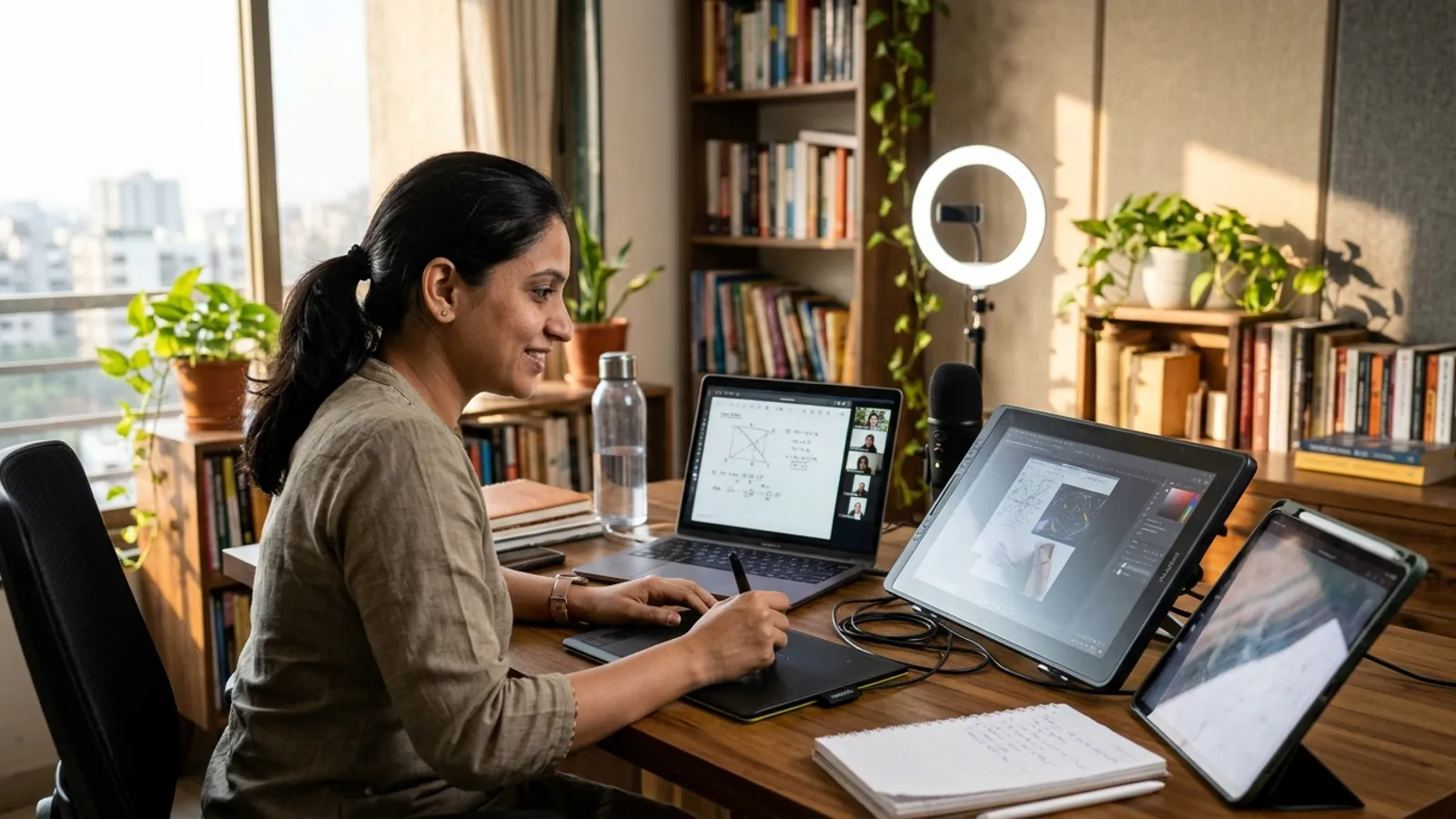 AI-generated illustration
Quick answer
For most teachers in India who want a clean, repeatable online teaching setup, a pen tablet is usually the most practical starting point. It is compact, works well with a laptop or desktop, and suits a fixed studio. An interactive display feels more natural for writing but needs more budget and space. An iPad is flexible and portable, but it can be harder to build into a studio workflow for long, daily sessions.
What is the difference between a pen tablet, an interactive display and an iPad?
Pen tablet
A pen tablet is a flat pad you write on with a pen. The writing appears on your computer screen, not on the tablet. Some models can have a built-in screen, but the basic version does not.
Interactive pen display
This is a screen you write on directly, connected to a computer. You see the ink appear under your pen tip, which feels like writing on paper or a board.
iPad with Apple Pencil
An iPad is a standalone tablet with a touchscreen and pen support. You can write on it directly, and it can work on its own or be connected to a computer for streaming and recording.
Which one is best for online teaching?
It depends on what you teach, how long you teach and where you teach. Here is a simple comparison.
| Factor | Pen tablet | Interactive display | iPad |
|---|---|---|---|
| Writing feel | Needs some practice, as you look at the screen while writing on the pad | Most natural, as you write directly on the screen | Natural, direct writing |
| Setup in a studio | Simple, with a small desk footprint | Needs more desk space and cabling | Simple, but needs mirroring or screen-sharing setup |
| Best for | Daily teaching, maths, science, exam coaching | Teachers who want a board-like feel | Mobile teachers, mixed use |
| Portability | Easy to carry | Less portable | Very portable |
| Cost level | Usually the most economical of the three | Usually the highest | Varies widely by model |
| Multitasking | Works with your computer's own software | Works with your computer's own software | Depends on apps and mirroring method |
Why is a pen tablet a good choice for a teaching studio?
A pen tablet fits well into a planned studio. Your laptop or monitor stays at eye level, your camera stays on you, and the pad sits quietly on the desk.
Here is what makes it attractive:
- Compact and tidy. It takes very little desk space, so your lighting, microphone and camera have room.
- Computer-based workflow. You can use your regular whiteboard software, slides, PDFs and recording tools.
- Stable for long sessions. A wired connection to a computer can be more dependable than wireless screen mirroring.
- Easy to replace. If a pen or pad has an issue, the rest of your studio keeps working.
- Good for many subjects. Maths, physics, chemistry, accountancy and language teaching can all use it for annotating and handwriting.
What is the catch?
The main learning curve is hand-eye coordination. You write on the pad but look at the screen. Most teachers adjust with a few days of practice. If you teach diagrams or geometry all day, practise before deciding.
When should you choose an interactive display instead?
An interactive pen display can be worth it if:
- You teach drawing-heavy subjects such as geometry, biology diagrams, design or art.
- You want the closest feel to writing on a board or notebook.
- You have a dedicated desk and a studio plan with enough room.
- Your budget allows a higher investment.
One thing to plan for is desk layout. A pen display tilts or sits flat in front of you, so you may look down while writing. This can affect eye contact with the camera. A good studio plan places the camera so that you can still look natural to students.
When does an iPad make sense?
An iPad can be a good fit if:
- You already own one and want to start quickly.
- You teach from different places, such as home, school and a coaching centre.
- You like handwritten notes in a notebook-style app.
- You also want to record short videos or notes on the go.
Things to check before relying on an iPad
- How will you share the iPad screen in your class platform: wired, wireless or through a computer?
- Can your setup handle notifications, so personal alerts do not appear during class?
- Will the battery and charging be managed for long classes?
- How will your slides, camera and iPad screen appear together in your recording or live class?
An iPad can be excellent, but it works best when someone has planned the screen-sharing and recording workflow clearly.
How do you decide for your own situation?
Ask yourself these questions:
- Do I teach from one fixed place? If yes, a pen tablet or interactive display can work well in a studio.
- Do I need to move around? If yes, an iPad may be more convenient.
- Do I write continuously or only annotate? Heavy writing may justify a pen display. Light annotation is often fine on a pen tablet.
- How many teachers will use the setup? In coaching institutes, a standard pen tablet setup can be easier to repeat across several rooms.
- What is my budget for the full studio? Remember the camera, lighting, microphone, internet and acoustics also matter, not just the writing device.
What else does a good online teaching setup need?
The writing device is only one part of your studio. A complete setup can include:
- A good webcam or camera at eye level
- Soft, even lighting on your face
- A clear microphone, such as a lavalier or desktop mic
- A quiet room with basic acoustic treatment
- A stable internet connection, preferably wired
- A background that looks neat and professional
- Whiteboard or annotation software that suits your subject
Students forgive a basic writing tool more easily than poor audio. If your budget is limited, give audio and lighting equal priority with your tablet.
FAQ
Is a pen tablet good enough for school and coaching classes?
Yes, a pen tablet can work well for school and coaching classes, especially for subjects like maths, science and commerce. It lets you write on a digital whiteboard or annotate slides while students watch live or in recordings.
Is an interactive display better than a pen tablet?
It can feel more natural because you write directly on the screen, but it is not automatically better for every teacher. It usually needs more budget and desk space. A pen tablet can be more practical if you want a simple, compact studio.
Can I use an iPad as my main teaching device?
You can, particularly if you already own one and teach from multiple locations. For a fixed studio, plan how you will share the screen, manage notifications, and combine the iPad with your camera and audio setup for stable, repeatable classes.
Planning a teaching studio?
If you are deciding between a pen tablet, interactive display or iPad, Smart Infovision can help you plan a studio that fits your subject, room and budget. Request a studio quote from Smart Infovision to discuss your online teaching setup.
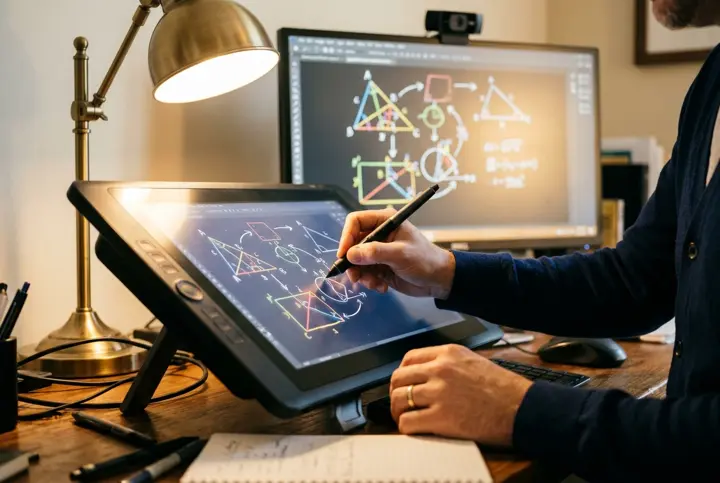 Related setupExplore Pen Tablet Studios )}
Quote
Request your studio quote
Tell us about your room and the studio you have in mind. The Smart InfoVision sales team will get back to you to plan the next step.
Helpful to share
- Your name and city
- The studio type you have in mind
- Room size and layout
- Equipment you already own
- Budget and timeline, if you have them